
Secure Google Workspace with SSPM
THE CHALLENGE
Why Google Workspace Security Requires Continuous Monitoring
Google Workspace environments evolve constantly. New users, integrations, sharing permissions, and configuration changes can quickly introduce security risks. Common Google Workspace exposures include:
- Excessive super-admin privileges
- Publicly shared Google Drive files
- Weak Gmail authentication settings
- Risky third-party OAuth applications
- Disabled audit logging
- Limited compliance visibility
Without continuous monitoring, these misconfigurations can go unnoticed until they are exploited.
THE SOLUTION
Continuous SaaS Security & Compliance Monitoring
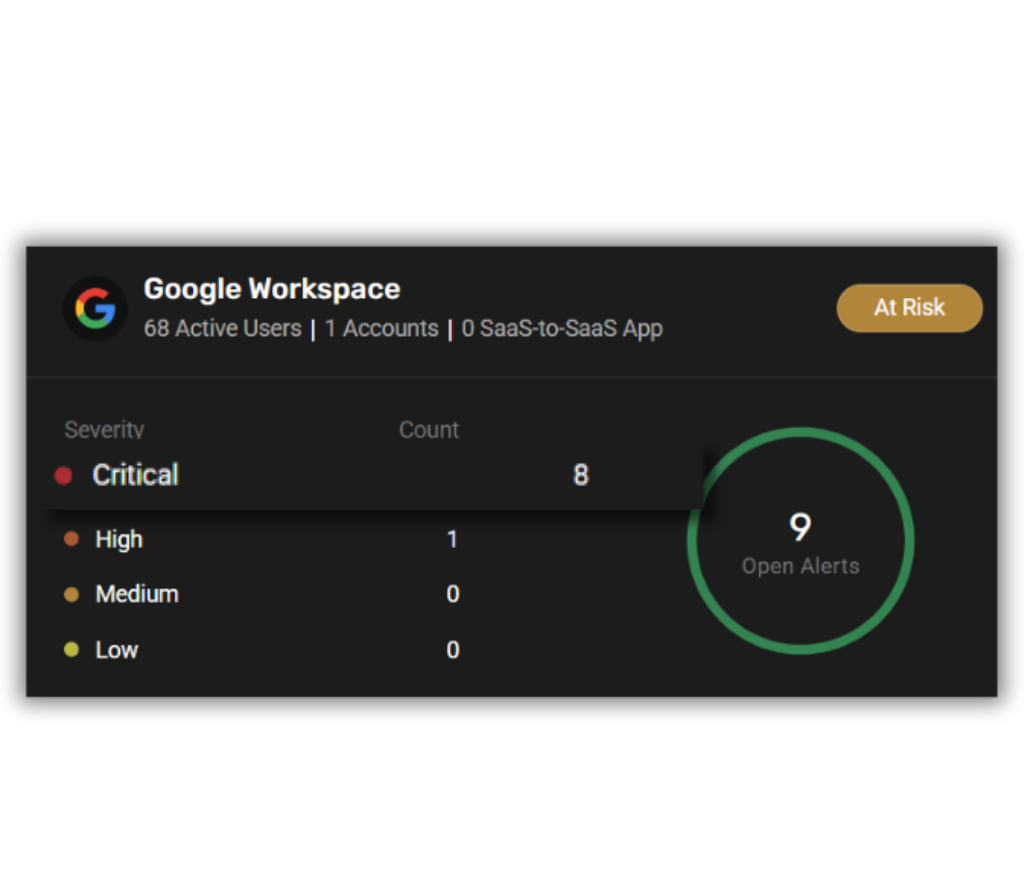
CheckRed continuously analyzes your Google Workspace configurations, permissions, and integrations to identify security risks and compliance gaps across every critical area.
Identity & Access
External Sharing
Gmail Security
Third-Party Applications
Google Workspace Security Best Practices
Securing Google Workspace requires more than a one-time configuration review. As users, integrations, and sharing settings evolve, new risks are introduced daily.
CheckRed continuously evaluates your environment against proven security best practices—identifying misconfigurations, enforcing access controls, and detecting risky third-party activity before it becomes a threat.
By automating security checks and mapping them to compliance frameworks, CheckRed helps organizations maintain a strong, audit-ready SaaS security posture at all times.
Enforce Multi-Factor Authentication
Require multi-factor authentication (MFA) across all users—especially administrators—to prevent account takeover. CheckRed continuously monitors MFA enforcement and identifies accounts that fall outside policy, helping teams quickly close authentication gaps.
Limit Administrative Privileges
Control External File Sharing
Secure Email Authentication
Monitor Third-Party Applications

Benefits to Your Business
Gain Complete Visibility
Understand configuration posture across users, permissions, sharing settings, and integrations.
Reduce SaaS Security Risk
Detect Google Workspace misconfigurations before attackers can exploit them.
Prioritize Security Risks
Focus remediation efforts on the most critical exposures.
Simplify Compliance Monitoring
Continuously track Google Workspace security posture against 30+ regulatory frameworks.
How Google Workspace SSPM Works
A streamlined four-step workflow that moves your team from reactive monitoring to proactive posture management.
Connect

Analyze

Map

Remediate
Ready to See How CheckRed Secures Your Google Workspace?
Frequently Asked Questions
What is Google Workspace SSPM?
What types of risks can SSPM detect in Google Workspace?
SSPM can identify:
- Misconfigured sharing permissions
- Excessive administrative privileges
- Risky OAuth integrations
- Weak email authentication settings
- Missing audit logging
Can SSPM support compliance audits for Google Workspace?
Subscribe to the Cybersecurity Breakdown
What attackers see. What security teams miss. Get monthly insights on DNS, SaaS, cloud, identity, compliance, and emerging cyber threats.